Understanding Product Presets
Product Presets are collections of Shopify product variants that serve as a predefined product pool for mystery boxes and bundles. By assigning a product Preset to multiple mystery boxes or bundles, you can efficiently use the same set of items across various offerings, streamlining your product pool management.
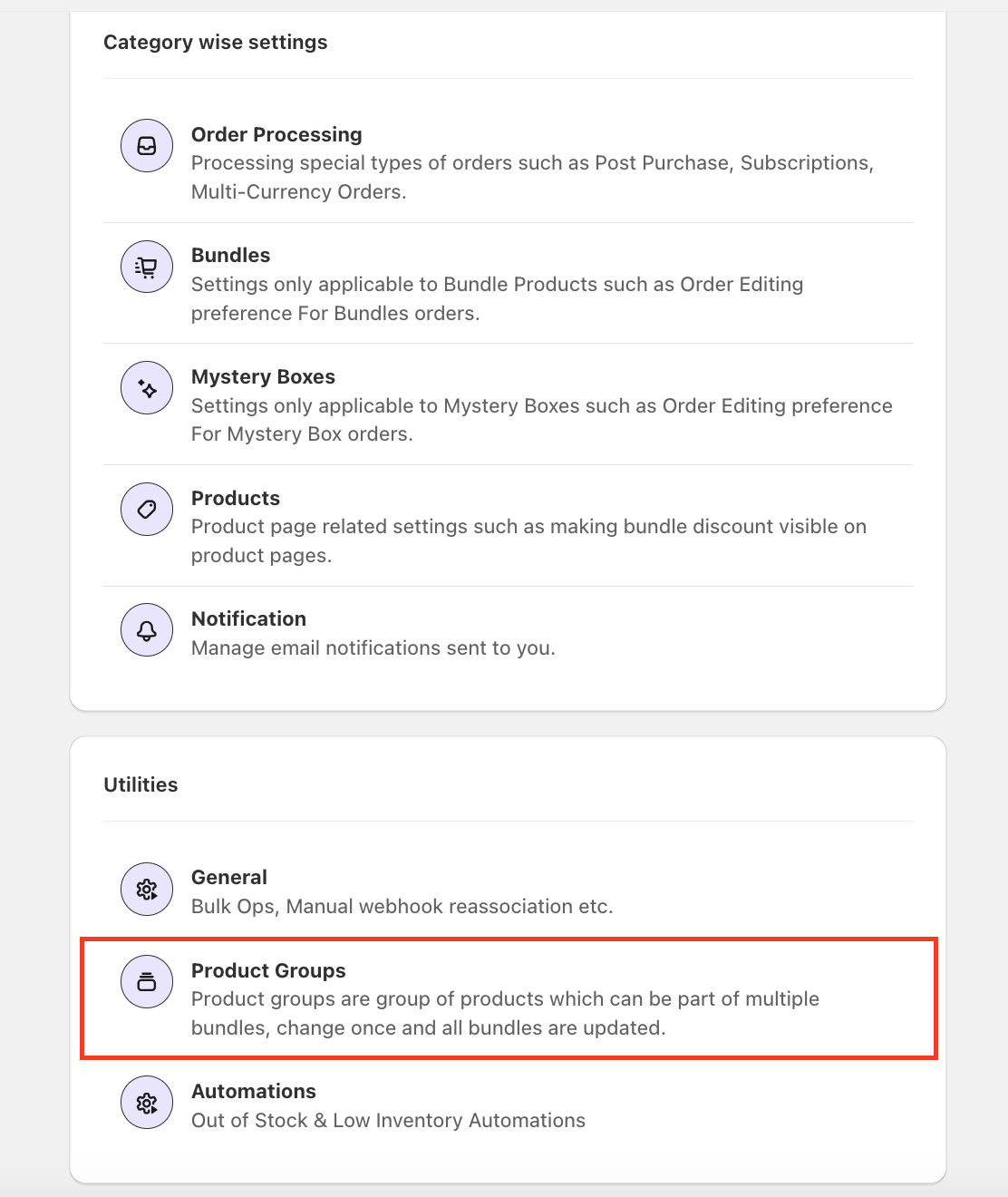
These can be found in App settings under Utilities.
Using Product Presets
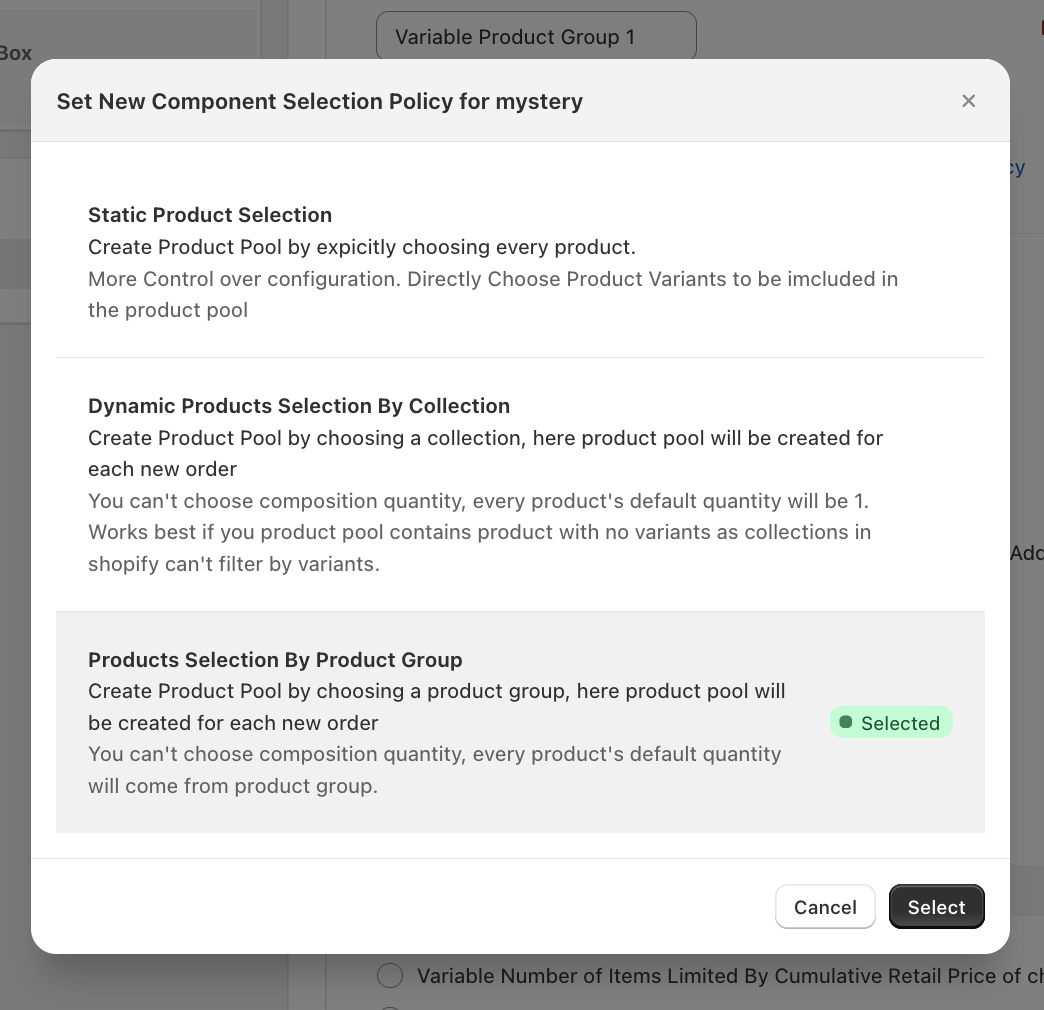
Once created Product Presets can be used in Bundles and Mystery Boxes, in the product pool, click on Selection Policy, which will open a modal where you can choose from available Selection policies. Here select "Products Selection By Product Preset".
Now when you click on "Add Product Presets" it will show you all of your Product Presets. Your selection will populate the product pool.
Editing and Updating Product Presets
When you update a product Preset, the changes automatically reflect in the product pool of all associated mystery boxes and bundles. This ensures consistency across your offerings without manual updates to each one.
Deleting a Product Preset
To delete a product Preset, follow these steps:
- Open the product Preset you wish to delete.
- Verify that it is not linked to any mystery boxes or bundles.
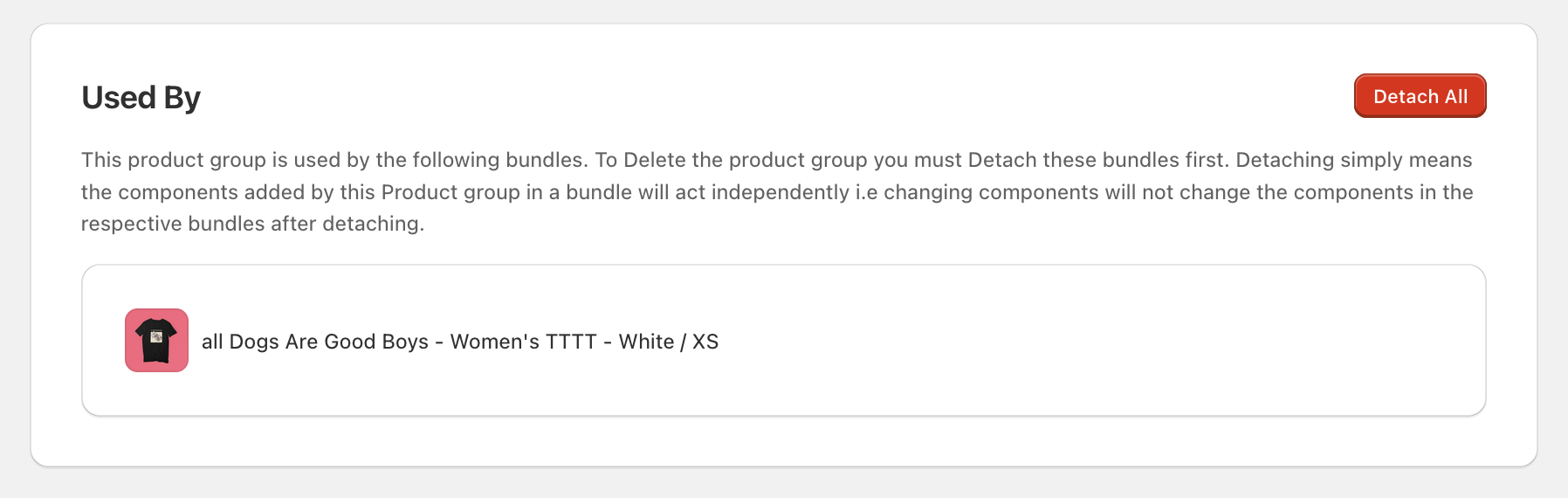
- If linked, locate the Used By Card at the bottom of the page listing all associated mystery boxes and bundles.
- Click the "Detach All" button to unlink the product Preset. This breaks the connection, meaning future updates to the product Preset will no longer affect the detached mystery boxes or bundles. Please Note, Detaching does not alter the existing composition of these mystery boxes or bundles; it only removes the linkage.
- Once detached, click the Delete button in the top-right corner of the page to remove the product Preset.
By following these steps, you can manage your product Presets effectively while maintaining control over your mystery boxes and bundles.